Meeting summaries, phone calls and tasks in one place
Mesakem turns Zoom, Microsoft Teams and Google Meet meetings — and recorded business phone calls — into transcripts, summaries, decisions and action items. Keep the conversation and the follow-through together.
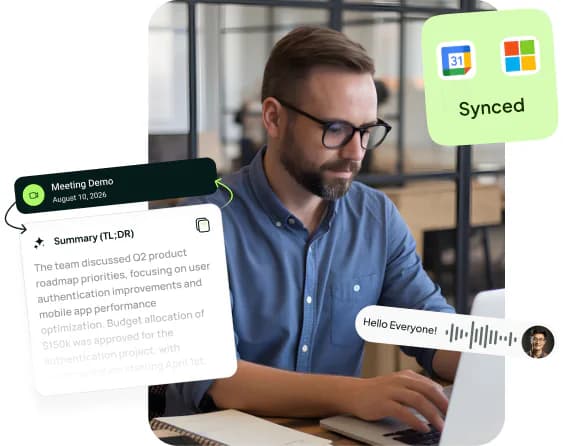
Wherever the meeting happens, Mesakem is there
Online, in the office, on the phone or from a recording: every meeting lands in one place.
- A visible bot for Zoom, Teams and Google MeetJoins from your calendar or a link, muted and with a clear name.Learn more →
- Automatic joining from the calendarGoogle Calendar or Outlook, read-only. Choose which meetings it joins.
- Your bot's name and pictureThe bot joins with the name and picture you choose.
- A desktop app, with no botWindows and Mac: records from your computer, with no participant added.Learn more →
- A meeting NotepadNewJot short notes next to a live transcript, and the summary is built around them.Learn more →
- An iPhone and Android appTap record and put the phone down. Keeps going with the screen locked.Learn more →
- Upload a recordingAn audio or video file gets the same summary as a live meeting.Learn more →
- Import from YouTubeNewPaste a link to a public video and get a transcript, a summary and the original player.Learn more →
- Phone callsRecorded calls from supported call-recording providers become summaries and tasks. Available in Israel for now.Learn more →
- Languages and automatic detectionDozens of languages. In meetings and the desktop app, the language is detected on its own.Learn more →
What you get from every meeting
Not just a transcript: decisions, tasks and answers, each with its source.
- A summary with decisions, tasks and ownersEvery line links to the moment it was said.Learn more →
- A transcript by speakerEverything that was said, searchable across all your meetings.Learn more →
- Summary templates, and one per meetingNewSales, clients, team, or one you build in a chat with the AI. Pick a template for a single meeting too.Learn more →
- The meeting assistantNewWrite “Mesakem” and a question in the meeting chat, and the answer arrives with its source, to you first.Learn more →
- Ask the meetingA chat that answers from what was said, with the source.
- RoomsEvery meeting of a client, project or course in one place, and one question across all of them.Learn more →
- Knowledge in a roomNewFiles, scans and pasted text. The room's AI answers from them too.
- CreationsAsk in chat and get an owners table, charts, a timeline, a client summary and a practice exam.Learn more →
What happens next
The summary goes to work: tasks, emails, reminders and the next meeting.
- A task board and your task toolsEvery task with an owner and a date, sent in one click to Jira, Trello, Asana, monday.com, Linear and Todoist.Learn more →
- A follow-up email draftIn one click, from what was said in the meeting.Learn more →
- The summary by email, with a Word fileTo verified recipients only.
- Share links and “Shared with me”Share a meeting with a link, and meetings shared with you wait in one place.
- Meeting prepBefore the next meeting: what happened last time with the same people, and what is still open.Learn more →
- “My Mesakem” and remindersAn assistant that knows all your meetings. “Remind me tomorrow at 9…” arrives by email.Learn more →
- A Telegram agentSummaries, tasks and reminders from your phone.
- Availability linksDrag across free time and send a link. Guests see only free or taken.Learn more →
- Smart dictationSpeak, and clean text appears in any app on your computer.Learn more →
Your AI assistant knows your meetings
Your assistant is the brain; Mesakem is in every meeting.
Works with your tools and your organization
Connect your meetings to your systems, and manage the team in one place.
- API, webhooks, Zapier and n8nA finished summary can start an automation in your systems.Learn more →
- An organization dashboardMembers, permissions, API keys and webhooks in one place. Managers see usage, never content.Learn more →
- Single sign-on and bot brandingSign in through your identity provider, and a bot with your company's name and logo.
- Privacy and securityDatabase and servers in Frankfurt, encrypted traffic, and content that never trains AI models.Learn more →
Connect your workspace to your AI tools with MCP
Mesakem has a documented read-only MCP implementation and configuration for compatible AI tools, including Claude, Codex and Grok. Confirm availability for your account and environment before setup. Use summary templates to shape the output and the Telegram agent to follow up on tasks from your phone.
A REST API and outbound webhooks are available for developers, with a Zapier integration and an n8n node built on them: read the developer docs.